10 min read
 Article Summary
Article Summary- LinkedIn Ads and Google Ads do different jobs. Google captures buyers who are already searching. LinkedIn reaches named companies and roles before they search, so the right split depends on your market, not on cost per click.
- LinkedIn costs more per click but less per company reached: €70.11 per company influenced against €110.37 for Google Search, with 121% ROAS against 67% (Dreamdata, 2026).
- Check Search lost impression share (budget) first. If high-intent searches go unserved because the money runs out, fund Google. If search is already captured, more budget buys the same buyers at a higher price.
- LinkedIn can target a named company list from the first campaign. Google’s Customer Match targeting needs 90 days of account history and more than USD $50,000 in lifetime spend (Google Ads policy, 2026).
- Start from one of four splits, from 70/30 toward Google to 15/85 toward LinkedIn, then judge the result in the CRM on pipeline per dollar and target-account engagement, not on platform-reported conversions.
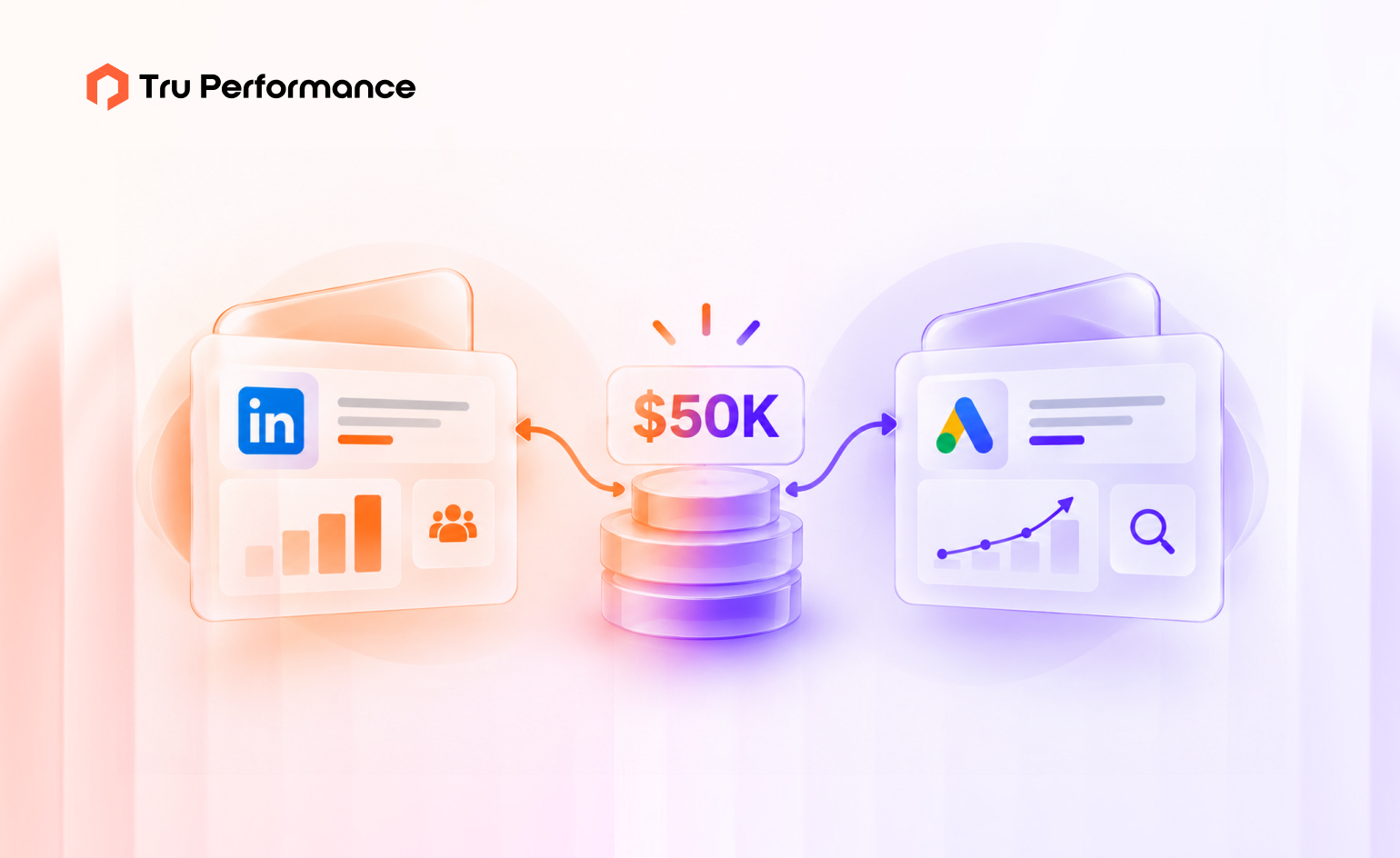
LinkedIn Ads and Google Ads do different jobs, so the right split depends on your market, not on cost per click. Google captures buyers who are already searching. LinkedIn reaches named companies and roles before they search. Put your next $50K where your pipeline is constrained: Google if high-intent search still has budget-limited headroom, LinkedIn if search is saturated, your category is new or you sell to a named account list.
The short answer
For most B2B SaaS companies past early traction, the next $50K should lean toward LinkedIn. That is not because LinkedIn is cheaper. It isn’t, per click. It’s because most mature B2B accounts have already bought the high-intent searches available to them, and more Google budget then buys the same buyers at a higher price.
The exception is real and common: if your Google account is still losing impression share on high-intent terms because of budget, that is the cheapest pipeline you can buy, and it should be funded first.
Everything else in this guide is about telling those two situations apart.
How LinkedIn Ads and Google Ads differ for B2B
| Key Factors | Google Ads (Search) | LinkedIn Ads |
|---|---|---|
| Job in the demand engine | Capture demand that already exists | Create demand and convert target accounts |
| Who you reach | Anyone searching your terms, whoever they work for | Members filtered by company, job title, function, seniority and industry |
| Buyer state | Actively researching or comparing | Mostly not in market yet |
| Targeting a named account list | Customer Match targeting requires meeting Google’s eligibility requirements | Company list targeting from the first campaign |
| What limits volume | How many people search your terms | Budget and audience size |
| Cost per click | Lower in most B2B categories | Higher, often several euros or dollars a click |
| Metric that matters | Cost per qualified opportunity | Engaged reach and pipeline from target accounts |
| Common mistake | Bidding on broad terms with no negative keywords | Running only lead-gen forms and judging performance by cost per lead |
The row that decides most budgets is “what limits volume.” Google’s volume is capped by search demand. Once you show for most of the high-intent searches in your category, extra budget mostly raises what you pay per click. LinkedIn’s volume is capped by budget and audience size, so new money reaches new people.
What the cost data says
Per-click comparisons make LinkedIn look like the expensive channel. Company-level data tells a different story.
- LinkedIn’s average cost per click was €5.98, but its cost per company influenced was €70.11, against €110.37 for Google Search and €128.70 for Meta (Dreamdata, LinkedIn Ads Benchmarks Report 2026, March 2026).
- Measured on closed-won revenue, LinkedIn returned 121% ROAS, against 67% for Google Search and 51% for Meta (same report, based on 66 million sessions and 3.5 million customer journeys).
- LinkedIn now takes 41% of B2B ad budgets among Dreamdata’s customers, up two points on the prior year (same report).
Two caveats before you move budget on these numbers. First, they come from one attribution vendor’s customer base, measured with its own model, so treat them as direction, not a forecast for your account. Second, the comparison flatters LinkedIn when search has been optimized for form fills rather than pipeline. If your Google account still bids on cheap leads, fix that first. Our guide to running Google Ads for B2B SaaS on pipeline, not leads covers how.
The useful lesson is the unit of measurement. A B2B deal is won by a buying committee inside an account, so cost per company reached and pipeline per account are fairer measures than cost per click or cost per lead.
Three questions that decide the split
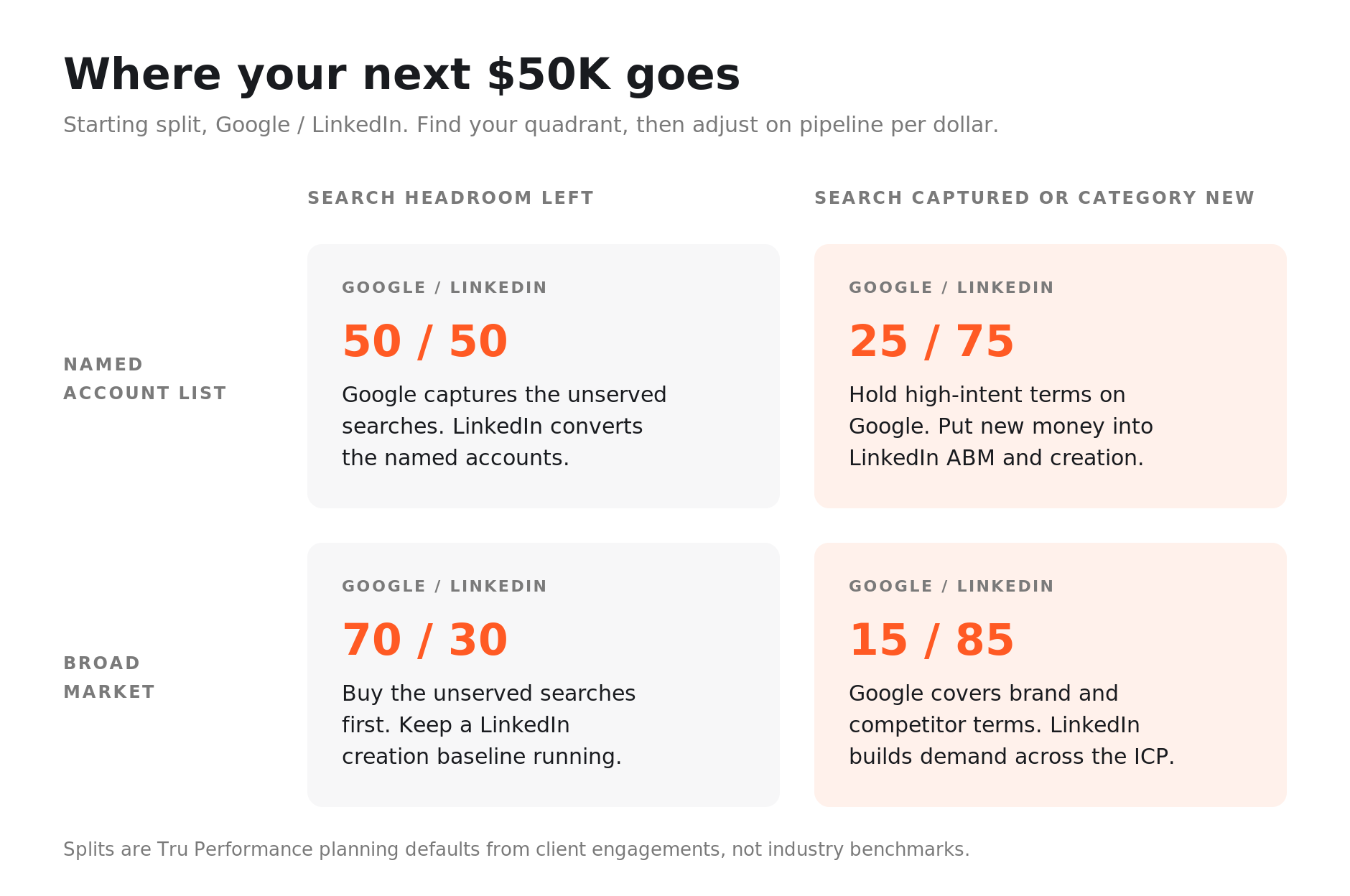
Find your quadrant before you split the budget. Most mature B2B SaaS accounts sit on the right-hand side.
1. Is high-intent search already captured?
Open Google Ads and look at two columns on your high-intent campaigns: Search lost IS (budget) and Search lost IS (rank). Lost impression share from budget means people are searching your best terms and your ads aren’t showing because the money ran out. That is headroom, and it is usually the cheapest pipeline you can add.
If lost impression share is mostly from rank, or both numbers are low, more budget won’t buy much new demand. You need better ads and pages, or a different channel. Our guides to Google Ads auction insights and bid strategies show how to read the competitive pressure.
2. Can you name your buyers?
If sales can hand you a list of the companies they want, LinkedIn can target that list directly. Company lists need at least 300 rows and must match at least 300 LinkedIn members to serve, and LinkedIn recommends 1,000 or more companies (LinkedIn Marketing Solutions Help, accessed October 2026).
Google can’t do the same on Search in most accounts. Using your own customer or prospect lists in the “Targeting” setting needs 90 days of account history and more than USD $50,000 in lifetime spend (Google Ads Customer Match policy, accessed October 2026). Below that, lists work only for observation and exclusions.
3. How new is your category?
Search only captures demand people already have words for. If buyers don’t yet search for your category, or search for it in terms your competitors own, Google has little to sell you. LinkedIn is where you build the familiarity that later shows up as branded search. The Ehrenberg-Bass Institute’s work for the LinkedIn B2B Institute puts only about 5% of B2B buyers in market in any quarter (2021), which is why demand creation needs its own budget line in the B2B demand generation playbook.
Four ways to split your next $50K
These are the starting splits we use with clients before adjusting for deal size and sales cycle. They are planning defaults from our own engagements, not industry benchmarks.
| Your situation | Signals | Starting split (Google / LinkedIn) | What each channel does |
|---|---|---|---|
| Search headroom, broad market | High lost IS (budget) on high-intent terms; many possible buyers | 70 / 30 | Google buys the unserved searches; LinkedIn keeps a creation baseline |
| Search headroom, named accounts | Lost IS (budget) plus a target list sales agrees on | 50 / 50 | Google captures; LinkedIn converts the named accounts |
| Search saturated, named accounts | Impression share already high, CPCs rising, list of 1,000+ accounts | 25 / 75 | Google holds high-intent terms; LinkedIn runs ABM and creation |
| Search saturated or category new, broad market | Impression share already high, or little search volume for the category, and no named list | 15 / 85 | Google covers brand and competitor terms; LinkedIn builds demand across the ICP |
Whatever the split, keep the Google spend on brand and high-intent comparison terms intact. Those are the searches your LinkedIn spend creates, and losing them hands the buyer to a competitor at the last step. The tactics in targeting buyers already comparing alternatives apply here.
How to run the LinkedIn side well
LinkedIn budgets fail for predictable reasons, and most of them come from treating it like search.
- Don’t judge it on cost per lead. Gated lead-gen forms produce cheap contacts and little pipeline. Judge LinkedIn on engaged reach in target accounts and meetings with the buying group.
- Lead with ungated creative. Thought-leadership ads, short video and document ads that teach something earn attention without asking for an email first.
- Target companies and roles, not interests. Company lists plus function and seniority filters are what you are paying the premium for.
- Give it two quarters. Creation works on buyers who aren’t in market yet. A 30-day test will mostly measure noise.
Our newsletter on LinkedIn’s latest B2B ad features covers the formats worth testing.
Four mistakes that waste the $50K
- Splitting 50/50 by habit. An even split feels balanced and is rarely right. Start from the quadrant you are in and move money on pipeline per dollar, not on what last quarter looked like.
- Turning LinkedIn off after a month. Creation spend shows up in pipeline two or three quarters later. Cutting it at week six guarantees a pipeline gap next half.
- Broad match with no negatives. Extra Google budget on loose match types buys students, job seekers and competitors. Tighten match types and negatives before adding money, as covered in PPC strategies for SaaS growth.
- Sending both channels to the homepage. A LinkedIn reader who has never heard of you needs a different page from a searcher comparing vendors. Build a page for each intent; our landing page optimization checklist covers the common leaks.
How to measure the split
Each platform reports its own conversions, and both will claim credit for the same deals. Measure the split in your CRM instead, at the account level.
- Pipeline created per dollar, by channel, from the CRM, reviewed monthly and judged quarterly
- Target-account engagement: the share of your named list that has engaged with LinkedIn and later shows up in branded search, direct traffic or a sales conversation
- Self-reported attribution: a required “How did you hear about us?” field on demo forms, which catches the LinkedIn influence that click tracking misses
- Win rate and deal size by first-touch channel, once enough deals have closed
Last-touch reporting will almost always undercount LinkedIn, because its job happens months before the click that converts. We explain why in why last-touch attribution hides most of your pipeline, and how to report the blended view to finance in building a B2B attribution model your CFO will trust.
Get a second opinion on your split. We’ll review your Google Ads impression share, LinkedIn targeting and CRM pipeline by channel, then show you where the next $50K should go. Request a paid media audit.
What to read next
- Google Ads for B2B SaaS: beyond lead gen to pipeline attribution: how to point the search side at pipeline instead of form fills
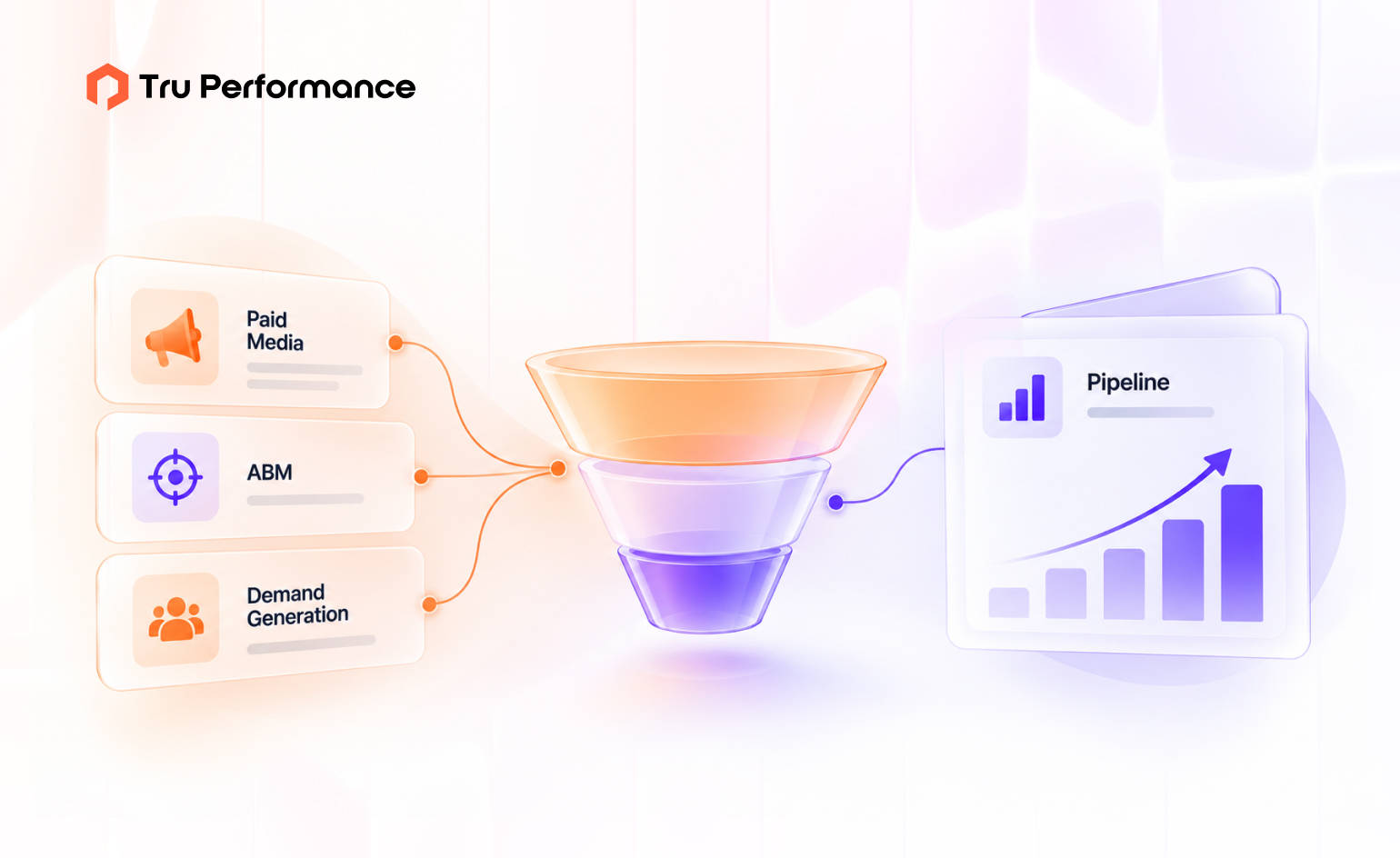
- The B2B demand generation playbook: where each channel fits in the four-layer demand engine
- Why last-touch attribution hides most of your pipeline: why LinkedIn looks worse than it is in default reporting
Tru Performance runs demand generation and paid media across Google and LinkedIn for B2B SaaS teams. If you’re deciding where the next budget increase goes, request a paid media audit and we’ll start with your impression share and pipeline data.