Published October 23, 2026 Marketing 10 min read

Google Ads for B2B SaaS: Beyond Lead Gen to Pipeline Attribution

Listen to this article
11:00
Article summary. Most B2B SaaS Google Ads accounts optimize to the cheapest event they can count: a form fill. Smart Bidding then finds more form fills, including students, job seekers and companies outside the ICP, while pipeline stays flat. The average B2B journey now runs 272 days and 88 touchpoints (Dreamdata, 2026), but Google Ads only accepts click-based conversion imports within 90 days of the click, or 14 days per run for CRM connectors such as HubSpot. Measured on closed-won revenue, Google Search returned 67% ROAS against 121% for LinkedIn (Dreamdata, 2026). That is not a case against search. It is what happens when a channel optimized for leads gets judged on revenue. The fix is to connect the CRM through enhanced conversions for leads and bid on the deepest stage with enough volume, usually SQL or opportunity. Keep form fills visible, but take them out of bidding. Split campaigns by buyer intent, then report cost per SQL, cost per opportunity and pipeline per dollar from the CRM. When impression share is high and volume is flat, the next lever is LinkedIn-led demand creation, not more search budget. Most Google Ads accounts for B2B SaaS are tuned to the cheapest event they can count: a form fill. Smart Bidding then gets very good at finding more form fills, including the ones sales will never call back. The fix is to send CRM stages back into Google Ads, bid toward the deepest stage with enough volume, and report cost per opportunity and pipeline per dollar instead of cost per lead. Why Google Ads for B2B SaaS stalls at lead gen Google Ads learns from whatever you call a conversion. Tell it a form fill is the goal and it will find you more form fills: students, job seekers, competitors researching your pricing, and small companies far outside your ICP. The cost per lead falls. The pipeline does not move. This is the most common pattern we see in B2B SaaS accounts. Nobody is doing anything wrong in the platform. The campaign structure is clean, the bid strategy is set, the ads are tested. The problem sits one layer down: the account is optimizing to a signal that has no reliable relationship with revenue.  Three things keep teams stuck there:  Volume pressure. Smart Bidding needs data. Google's own guidance for evaluating Target CPA is to look at the last 30 days "including at least 30 conversions" (Google Ads Help, About Target CPA bidding, accessed October 2026). Few B2B SaaS accounts close 30 deals a month from search, so teams count the event that does hit 30.  Disconnected data. The form fill happens on the website. The SQL, the opportunity and the closed deal happen in the CRM. Unless someone builds the bridge, Google Ads never learns which clicks became revenue.  Reporting habit. Cost per lead is easy to report and easy to defend in a weekly meeting. Cost per opportunity takes a reconciled CRM, a shared definition of "opportunity," and patience.  The numbers behind the gap The B2B buying cycle is far longer than the window Google Ads uses to credit a click.  The average B2B journey now runs 272 days, with 88 touchpoints across 4 channels and 10 stakeholders, up from 211 days and 76 touchpoints a year earlier (Dreamdata, LinkedIn Ads Benchmarks Report 2026, March 2026). Buyers spend roughly the first 220 days of that before entering the sales pipeline.  Google Ads accepts click-based conversion imports only within a fixed window. For file-based sources the click-to-conversion cycle must be under 90 days, and for CRM connectors such as HubSpot and Salesforce the import looks back 14 days per run (Google Ads Help, offline conversion imports, accessed October 2026).  Measured on closed-won revenue, Google Search returned 67% ROAS across Dreamdata's customer base, against 121% for LinkedIn and 51% for Meta (Dreamdata, LinkedIn Ads Benchmarks Report 2026, March 2026, data-driven attribution over 12 months).  That last number is not a case against search. It shows what happens when a capture channel is judged on revenue after being optimized for leads. Search buyers are often mid-journey, already aware of the problem, and comparing vendors. They are valuable. An account bidding toward cheap form fills just isn't built to find the valuable ones.  The window problem matters too. A click in January that becomes an opportunity in May can't be imported against that click. Bid toward a stage that usually lands inside the window, and use your CRM for the full-cycle view. We cover the longer view in why last-touch attribution hides most of your pipeline.  Lead-gen setup vs pipeline setup Key Factors Lead-gen setup Pipeline setup Primary conversion Form fill or demo request SQL or opportunity created, imported from the CRM Form fill status Primary, counted in bidding Secondary, observed but not bid on Bid strategy Target CPA on leads Value-based bidding with stage values, or Target CPA on SQLs Data connection Google tag only Google tag plus enhanced conversions for leads and CRM import Headline metric Cost per lead Cost per opportunity and pipeline per dollar spent Who reviews it Paid media manager Paid media, RevOps and sales leadership together Failure mode Cheap leads sales ignores Too little volume at the chosen stage for bidding to learn How to rebuild Google Ads around pipeline This is the sequence we run when we take over a B2B SaaS account. It sits inside the capture layer of the B2B demand generation playbook, where search does one job: win buyers who are already looking. Step 1: Define the conversion ladder List every stage between click and closed-won, with the monthly volume search produces at each one. A typical ladder: form fill, MQL, SQL, opportunity created, closed-won. Agree the definitions with sales before touching the account. If "SQL" means three different things to three people, importing it will teach the algorithm noise.  Lifecycle stage hygiene is usually where this breaks. If reps skip stages or update them in bulk at quarter end, the timestamps Google needs will be wrong. Our list of RevOps processes your team should stop running manually covers the automation that fixes this, and the RevOps readiness checklist helps you find the gaps first.  Step 2: Connect the CRM to Google Ads Turn on auto-tagging, then set up enhanced conversions for leads. It sends a hashed identifier such as the lead's email from your form, then matches it when you later import that lead's CRM stage (Google Ads Help, enhanced conversions for leads, accessed October 2026). You no longer depend on storing the GCLID in a hidden field, which is where many older setups quietly broke.  For HubSpot accounts, Google now routes the connection through Google Ads Data Manager, maps conversion imports to the Lifecycle Stage field, and describes the older offline conversion import as a legacy feature. Whatever the CRM, test the full path with a few real leads before switching bidding. Silent tracking failures are among the hidden website issues that drain a sales pipeline.  Step 3: Choose the event you bid on Bid on the deepest stage that produces enough volume for the algorithm to learn. For most mid-market SaaS accounts that is SQL or opportunity created. Keep form fills in the account as a secondary conversion so you can still see them, but take them out of bidding.  If no single stage has enough volume, use value-based bidding instead. Give each stage a value that reflects its typical worth to you, for example a small value for an MQL, a larger one for an SQL, and a much larger one for an opportunity. The algorithm then optimizes toward total value rather than raw count. Our guide to Google Ads bid strategies explains how each strategy behaves once the data changes.  Step 4: Restructure campaigns by intent Split campaigns by how close the searcher is to buying, so each gets a budget and target that fits its stage:  Brand: protects your name and catches buyers who heard about you elsewhere. Cheap, high converting, and mostly the result of other channels.  High-intent category and comparison terms: "[category] software," "[competitor] alternative," "[tool A] vs [tool B]." This is where most pipeline comes from. The tactics in targeting buyers already comparing alternatives apply directly, and auction insights show who you are bidding against.  Problem-aware terms: searches about the problem your product solves. Larger volume, longer path to pipeline, judged on SQLs rather than closed deals.  Exclude existing customers and job seekers. Add negatives for "free," "login," "jobs," "salary," "course" and "template" unless those are real offers. Send each campaign to a page built for its intent, not the homepage. Our landing page optimization checklist covers the common conversion leaks, and PPC strategies for SaaS growth covers account structure in more depth.  Step 5: Report pipeline, not leads Change the weekly report before you change anything else, or the old habits will pull the account back. The scorecard we use:  Cost per SQL and cost per opportunity by campaign  Pipeline created per dollar spent, from the CRM, not the ad platform  Win rate and deal size by campaign, reviewed quarterly once deals close  Search impression share on high-intent terms, to see whether budget or demand is the limit  Expect Google Ads and the CRM to disagree. The platform credits the click; the CRM sees the whole account. Agree in advance which system is the record for which number, and document the gap instead of arguing about it. Our guide to building an attribution model your CFO will trust shows how to reconcile the two, and a revenue operations engine gives that reconciliation a named owner.  Where Google Ads fits next to LinkedIn Search captures demand. It can't create it. If impression share on your high-intent terms is already high and volume is flat, more search budget will buy you the same buyers at a higher price. The lever at that point is demand creation, usually on LinkedIn, where you can reach target accounts before they search. Our newsletter on LinkedIn's latest B2B ad features covers that side.  Run the two together. LinkedIn builds familiarity with the accounts you want. Google Ads is there when someone at that account finally searches. Pipeline-based bidding makes sure the search budget goes to those buyers and not to whoever fills in a form.  Get the next one in your inbox. New pieces on demand generation, paid media and RevOps, written by the people running the accounts. Subscribe to the Tru Performance newsletter. What to read next The B2B demand generation playbook: where search fits in the four-layer demand engine  Why last-touch attribution hides most of your pipeline: what the 90-day click window cannot see  Building a B2B attribution model your CFO will trust: how to report paid media pipeline to finance  Tru Performance is a Google certified partner and runs demand generation and paid media for B2B SaaS teams. If your Google Ads account is producing leads but not pipeline, book a pipeline review and we will show you where the signal is getting lost. 
Google Ads for B2B SaaS_ Beyond Lead Gen to Pipeline Attribution

Article Summary

  • Most B2B SaaS Google Ads accounts optimize to the cheapest event they can count: a form fill. Smart Bidding then finds more form fills, including students, job seekers and companies outside the ICP, while pipeline stays flat.
  • The average B2B journey now runs 272 days and 88 touchpoints (Dreamdata, 2026), but Google Ads only accepts click-based conversion imports within 90 days of the click, or 14 days per run for CRM connectors such as HubSpot.
  • Measured on closed-won revenue, Google Search returned 67% ROAS against 121% for LinkedIn (Dreamdata, 2026). That is not a case against search. It is what happens when a channel optimized for leads gets judged on revenue.
  • The fix is to connect the CRM through enhanced conversions for leads and bid on the deepest stage with enough volume, usually SQL or opportunity. Keep form fills visible, but take them out of bidding.
  • Split campaigns by buyer intent, then report cost per SQL, cost per opportunity and pipeline per dollar from the CRM. When impression share is high and volume is flat, the next lever is LinkedIn-led demand creation, not more search budget.
Explore AI Summary

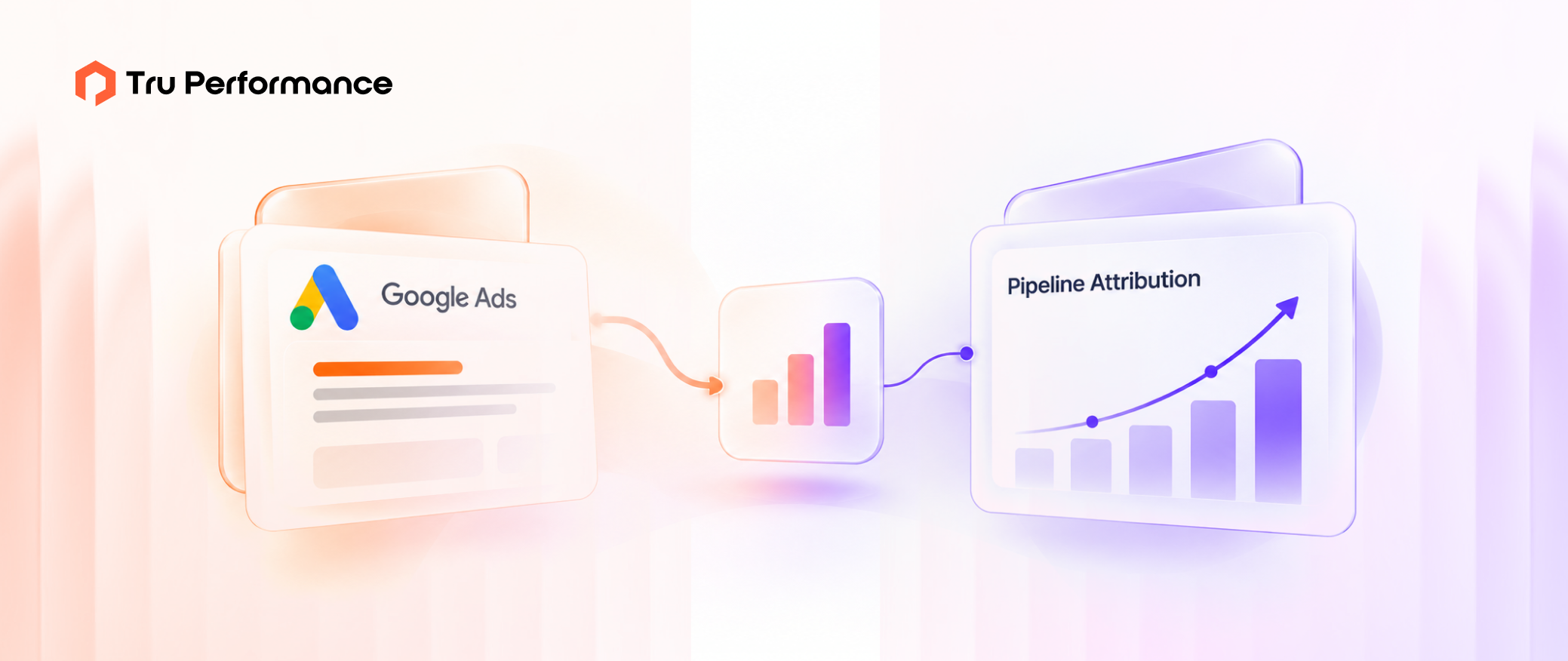
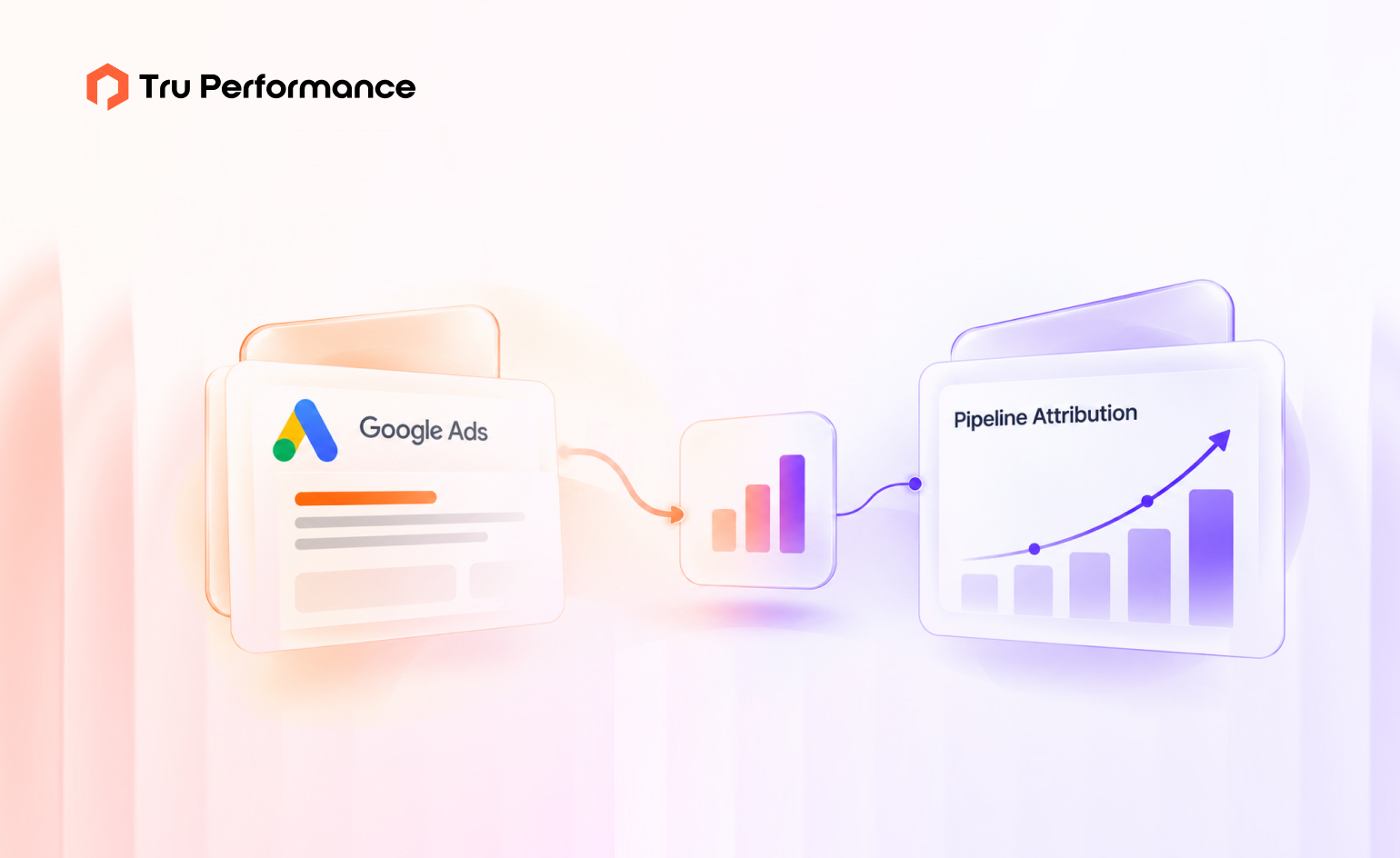
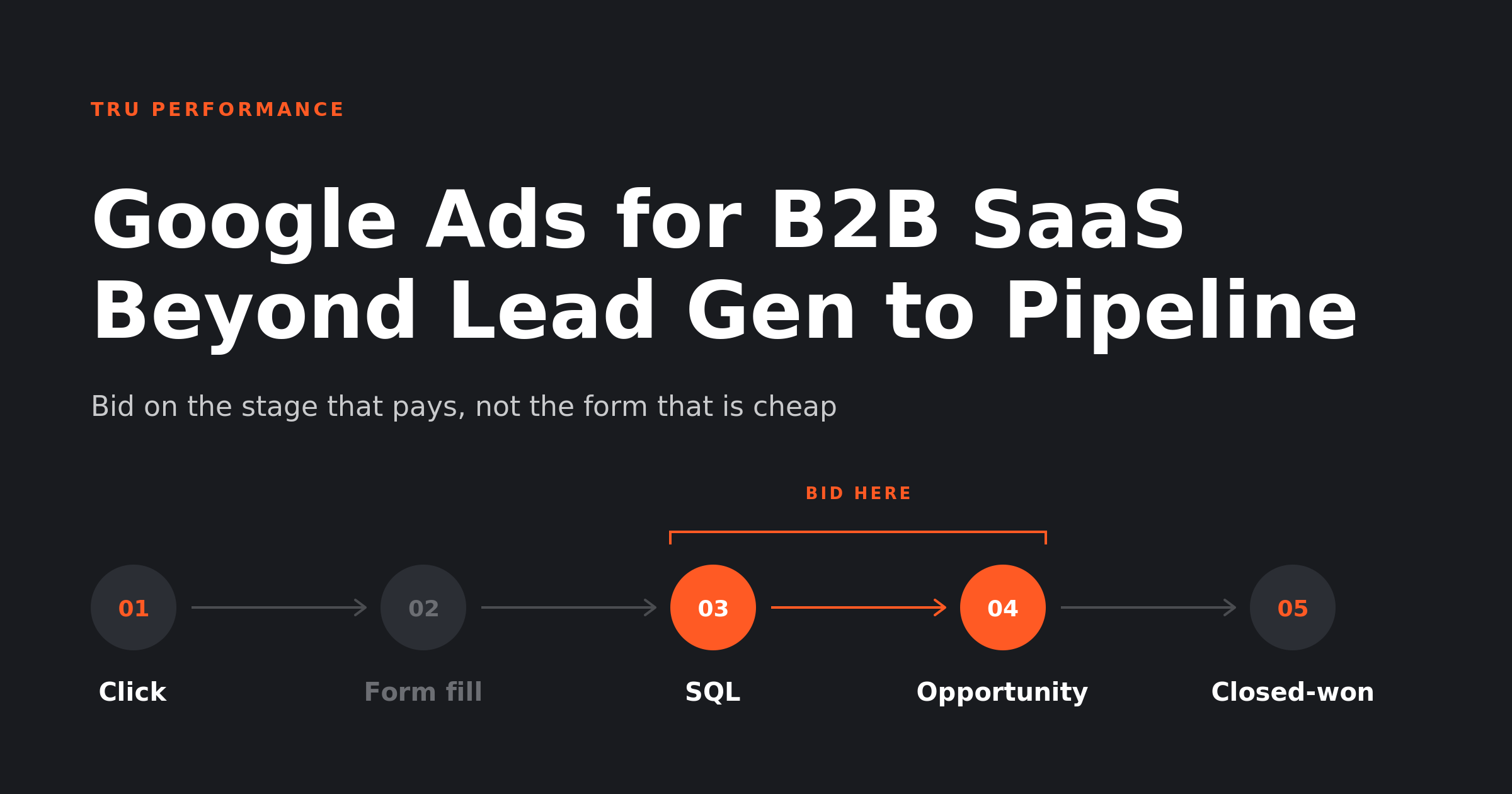
Title graphic for the Tru Performance guide to Google Ads for B2B SaaS, showing a search click travelling past the form fill to an opportunity and closed revenue

Most Google Ads accounts for B2B SaaS are tuned to the cheapest event they can count: a form fill. Smart Bidding then gets very good at finding more form fills, including the ones sales will never call back. The fix is to send CRM stages back into Google Ads, bid toward the deepest stage with enough volume, and report cost per opportunity and pipeline per dollar instead of cost per lead.

Why Google Ads for B2B SaaS stalls at lead gen

Google Ads learns from whatever you call a conversion. Tell it a form fill is the goal and it will find you more form fills: students, job seekers, competitors researching your pricing, and small companies far outside your ICP. The cost per lead falls. The pipeline does not move.

This is the most common pattern we see in B2B SaaS accounts. Nobody is doing anything wrong in the platform. The campaign structure is clean, the bid strategy is set, the ads are tested. The problem sits one layer down: the account is optimizing to a signal that has no reliable relationship with revenue. 

Three things keep teams stuck there: 

  • Volume pressure. Smart Bidding needs data. Google’s own guidance for evaluating Target CPA is to look at the last 30 days “including at least 30 conversions” (Google Ads Help, About Target CPA bidding, accessed October 2026). Few B2B SaaS accounts close 30 deals a month from search, so teams count the event that does hit 30. 
  • Disconnected data. The form fill happens on the website. The SQL, the opportunity and the closed deal happen in the CRM. Unless someone builds the bridge, Google Ads never learns which clicks became revenue. 
  • Reporting habit. Cost per lead is easy to report and easy to defend in a weekly meeting. Cost per opportunity takes a reconciled CRM, a shared definition of “opportunity,” and patience. 

The numbers behind the gap

The B2B buying cycle is far longer than the window Google Ads uses to credit a click. 

  • The average B2B journey now runs 272 days, with 88 touchpoints across 4 channels and 10 stakeholders, up from 211 days and 76 touchpoints a year earlier (Dreamdata, LinkedIn Ads Benchmarks Report 2026, March 2026). Buyers spend roughly the first 220 days of that before entering the sales pipeline. 
  • Google Ads accepts click-based conversion imports only within a fixed window. For file-based sources the click-to-conversion cycle must be under 90 days, and for CRM connectors such as HubSpot and Salesforce the import looks back 14 days per run (Google Ads Help, offline conversion imports, accessed October 2026). 
  • Measured on closed-won revenue, Google Search returned 67% ROAS across Dreamdata’s customer base, against 121% for LinkedIn and 51% for Meta (Dreamdata, LinkedIn Ads Benchmarks Report 2026, March 2026, data-driven attribution over 12 months). 

That last number is not a case against search. It shows what happens when a capture channel is judged on revenue after being optimized for leads. Search buyers are often mid-journey, already aware of the problem, and comparing vendors. They are valuable. An account bidding toward cheap form fills just isn’t built to find the valuable ones. 

The window problem matters too. A click in January that becomes an opportunity in May can’t be imported against that click. Bid toward a stage that usually lands inside the window, and use your CRM for the full-cycle view. We cover the longer view in why last-touch attribution hides most of your pipeline. 

Lead-gen setup vs pipeline setup

Key Factors Lead-gen setup Pipeline setup
Primary conversion Form fill or demo request SQL or opportunity created, imported from the CRM
Form fill status Primary, counted in bidding Secondary, observed but not bid on
Bid strategy Target CPA on leads Value-based bidding with stage values, or Target CPA on SQLs
Data connection Google tag only Google tag plus enhanced conversions for leads and CRM import
Headline metric Cost per lead Cost per opportunity and pipeline per dollar spent
Who reviews it Paid media manager Paid media, RevOps and sales leadership together
Failure mode Cheap leads sales ignores Too little volume at the chosen stage for bidding to learn

How to rebuild Google Ads around pipeline
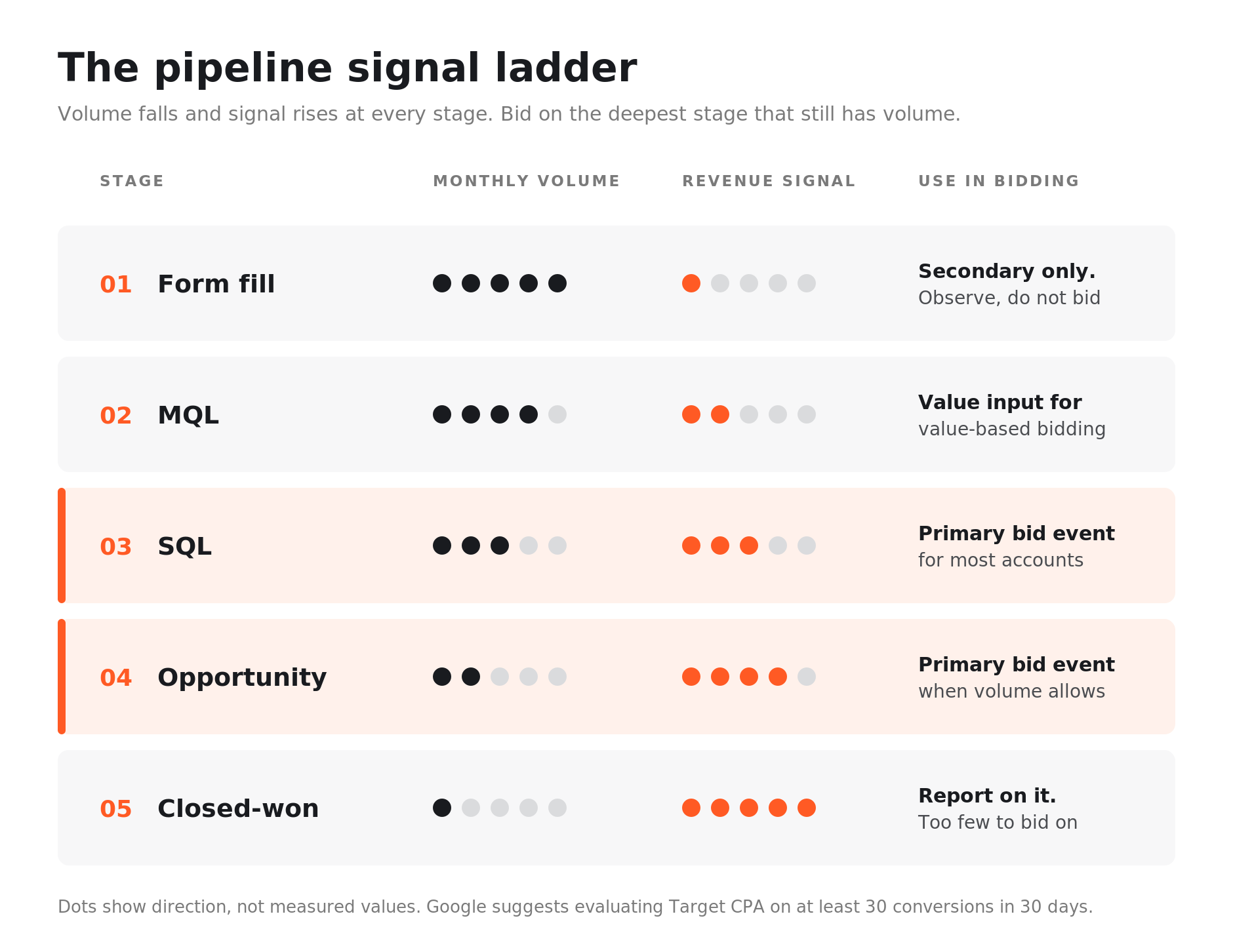
Five-stage ladder from form fill to closed-won showing volume falling and revenue signal rising at each stage, with SQL and opportunity marked as the usual bidding sweet spot

This is the sequence we run when we take over a B2B SaaS account. It sits inside the capture layer of the B2B demand generation playbook, where search does one job: win buyers who are already looking.

Step 1: Define the conversion ladder

List every stage between click and closed-won, with the monthly volume search produces at each one. A typical ladder: form fill, MQL, SQL, opportunity created, closed-won. Agree the definitions with sales before touching the account. If “SQL” means three different things to three people, importing it will teach the algorithm noise. 

Lifecycle stage hygiene is usually where this breaks. If reps skip stages or update them in bulk at quarter end, the timestamps Google needs will be wrong. Our list of RevOps processes your team should stop running manually covers the automation that fixes this, and the RevOps readiness checklist helps you find the gaps first. 

Step 2: Connect the CRM to Google Ads

Turn on auto-tagging, then set up enhanced conversions for leads. It sends a hashed identifier such as the lead’s email from your form, then matches it when you later import that lead’s CRM stage (Google Ads Help, enhanced conversions for leads, accessed October 2026). You no longer depend on storing the GCLID in a hidden field, which is where many older setups quietly broke. 

For HubSpot accounts, Google now routes the connection through Google Ads Data Manager, maps conversion imports to the Lifecycle Stage field, and describes the older offline conversion import as a legacy feature. Whatever the CRM, test the full path with a few real leads before switching bidding. Silent tracking failures are among the hidden website issues that drain a sales pipeline. 

Step 3: Choose the event you bid on

Bid on the deepest stage that produces enough volume for the algorithm to learn. For most mid-market SaaS accounts that is SQL or opportunity created. Keep form fills in the account as a secondary conversion so you can still see them, but take them out of bidding. 

If no single stage has enough volume, use value-based bidding instead. Give each stage a value that reflects its typical worth to you, for example a small value for an MQL, a larger one for an SQL, and a much larger one for an opportunity. The algorithm then optimizes toward total value rather than raw count. Our guide to Google Ads bid strategies explains how each strategy behaves once the data changes. 

Step 4: Restructure campaigns by intent

Split campaigns by how close the searcher is to buying, so each gets a budget and target that fits its stage: 

  • Brand: protects your name and catches buyers who heard about you elsewhere. Cheap, high converting, and mostly the result of other channels. 
  • Problem-aware terms: searches about the problem your product solves. Larger volume, longer path to pipeline, judged on SQLs rather than closed deals. 

Exclude existing customers and job seekers. Add negatives for “free,” “login,” “jobs,” “salary,” “course” and “template” unless those are real offers. Send each campaign to a page built for its intent, not the homepage. Our landing page optimization checklist covers the common conversion leaks, and PPC strategies for SaaS growth covers account structure in more depth. 

Step 5: Report pipeline, not leads

Change the weekly report before you change anything else, or the old habits will pull the account back. The scorecard we use: 

  • Cost per SQL and cost per opportunity by campaign 
  • Pipeline created per dollar spent, from the CRM, not the ad platform 
  • Win rate and deal size by campaign, reviewed quarterly once deals close 
  • Search impression share on high-intent terms, to see whether budget or demand is the limit 

Expect Google Ads and the CRM to disagree. The platform credits the click; the CRM sees the whole account. Agree in advance which system is the record for which number, and document the gap instead of arguing about it. Our guide to building an attribution model your CFO will trust shows how to reconcile the two, and a revenue operations engine gives that reconciliation a named owner. 

Where Google Ads fits next to LinkedIn

Search captures demand. It can’t create it. If impression share on your high-intent terms is already high and volume is flat, more search budget will buy you the same buyers at a higher price. The lever at that point is demand creation, usually on LinkedIn, where you can reach target accounts before they search. Our newsletter on LinkedIn’s latest B2B ad features covers that side. 

Run the two together. LinkedIn builds familiarity with the accounts you want. Google Ads is there when someone at that account finally searches. Pipeline-based bidding makes sure the search budget goes to those buyers and not to whoever fills in a form. 

Get the next one in your inbox. New pieces on demand generation, paid media and RevOps, written by the people running the accounts. Subscribe to the Tru Performance newsletter.

What to read next

Tru Performance is a Google certified partner and runs demand generation and paid media for B2B SaaS teams. If your Google Ads account is producing leads but not pipeline, book a pipeline review and we will show you where the signal is getting lost. 

Denver Mascarenhas

Vice President, Growth and Innovation, Tru Performance

A performance marketing and RevOps leader with 15+ years building global marketing teams and the AI-powered growth and product-innovation programs that turn client marketing into measurable outcomes.

Frequently Asked Questions

Everything you need to know about the product and billing.

Yes, as a demand capture channel. Google Search reaches buyers who are already researching your category or comparing vendors. It underperforms when it is optimized to form fills and judged on cost per lead. Optimized to SQLs or opportunities and measured on pipeline, it is usually one of the more predictable sources of qualified pipeline. 

Optimize for the deepest CRM stage that produces enough monthly volume for Smart Bidding to learn, usually SQL or opportunity created. Keep form fills as a secondary conversion for visibility. If no single stage has enough volume, use value-based bidding with a value assigned to each stage. 

Enable auto-tagging and enhanced conversions for leads, then connect HubSpot to Google Ads through Google Ads Data Manager. Conversion imports map to the HubSpot Lifecycle Stage field, so each stage change can be sent back to Google Ads as a conversion. Test the connection with real leads before changing your bid strategy. 

Enhanced conversions for leads is a Google Ads feature that sends a hashed identifier, such as an email address, when someone submits a lead form. When that lead later reaches a stage in your CRM, you import the same hashed identifier and Google matches it to the original ad interaction. It removes the need to store the Google click ID in your CRM. 

Google recommends evaluating Target CPA over the last 30 days with at least 30 conversions. B2B SaaS accounts that cannot reach that volume at the SQL or opportunity stage should use value-based bidding across several stages rather than falling back to bidding on raw form fills. 

Most need both, for different jobs. Google Ads captures buyers who are already searching. LinkedIn Ads reaches specific companies and job titles before they search. If search volume on your high-intent terms is flat, spending more on search rarely helps; investing in LinkedIn-led demand creation usually does. 

Insights from experts driving results on the ground

Google Ads for B2B SaaS: Beyond Lead Gen to Pipeline Attribution
9 min read

Google Ads for B2B SaaS: Beyond Lead Gen to Pipeline Attribution

Most Google Ads accounts for B2B SaaS are tuned to the cheapest event they can count: a form fill. Smart...
Read more
B2B Demand Generation Strategy: A Full-Funnel Playbook for Paid Media, ABM and Pipeline
17 min read

B2B Demand Generation Strategy: A Full-Funnel Playbook for Paid Media, ABM and Pipeline

A B2B demand generation strategy is the system that creates buying intent, captures it when it surfaces, and turns it...
Read more
SEO Agency vs In-House Team: How Growth-Stage SaaS Should Actually Decide
17 min read

SEO Agency vs In-House Team: How Growth-Stage SaaS Should Actually Decide

Your board asked why organic is flat. You have a plan, a keyword set and three technical fixes that have been written up twice....
Read more
Building a B2B Attribution Model Your CFO Will Trust
13 min read

Building a B2B Attribution Model Your CFO Will Trust

Your attribution report says marketing sourced $4.2M in pipeline last quarter. Finance’s report says marketing sourced $1.6M. Both numbers were...
Read more
Explore resources